

Why Claude AI Is More Than Just a Chatbot
Artificial intelligence has moved far beyond answering trivia questions or autocompleting sentences. Today, AI tools like Claude are transforming the way professionals work — helping researchers synthesize complex information, enabling content creators to produce higher-quality output faster, and giving project managers a powerful thinking partner to plan and execute more effectively.
But here’s the problem: most people use Claude the same way they’d use a search engine — type a question, get an answer, and move on. That approach barely scratches the surface of what Claude can actually do.
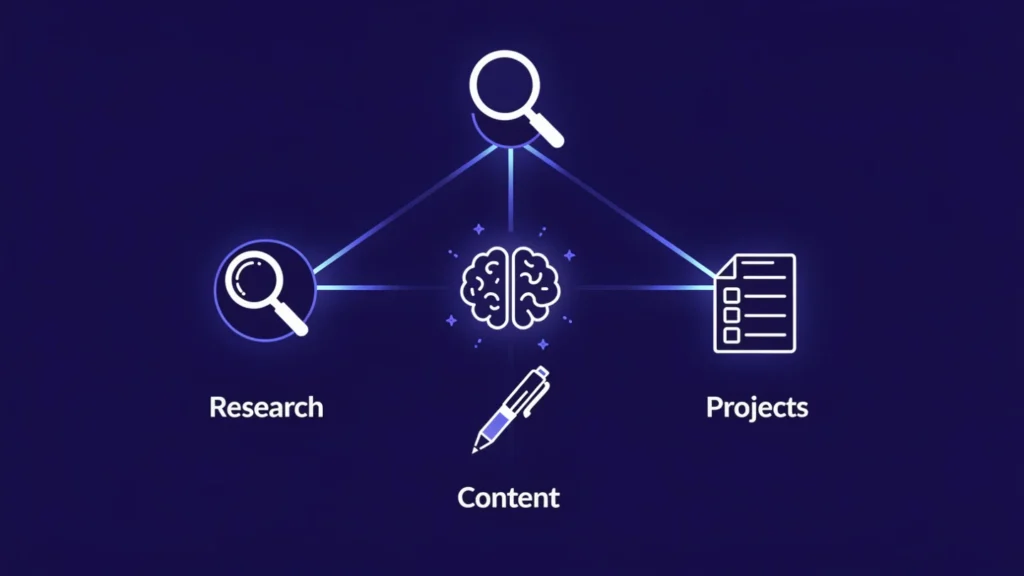
This guide is for marketers, researchers, entrepreneurs, freelancers, and teams who want to get real, practical value from Claude AI across three core professional workflows: research, content creation, and project management. By the end, you’ll have concrete strategies, prompt examples, and workflow templates you can start using today.
Let’s get into it.
1: Using Claude AI for Research

What Claude Can (and Can’t) Do for Research
Before diving into tactics, it’s worth setting accurate expectations. Claude is an exceptionally capable research partner — but it’s not a database, and it’s not a real-time search engine.
What Claude does exceptionally well:
- Summarizing long, dense documents — academic papers, reports, legal contracts, transcripts — into clear, digestible insights
- Explaining complex topics in plain language without dumbing them down
- Synthesizing multiple ideas, frameworks, or perspectives into a coherent summary
- Asking and exploring hypothetical questions, edge cases, and “what if” scenarios
- Helping you think through the structure of a research question before you start digging
Where Claude has honest limits:
- It has a knowledge cutoff and won’t know about very recent events (though it can search the web when that feature is enabled)
- It will tell you when it doesn’t know something rather than fabricate citations — a critical advantage over many AI tools
- It works best when you bring the source material and ask it to analyze, rather than expecting it to independently verify facts
This distinction matters. Think of Claude not as a research database, but as a brilliant research analyst who’s read everything — and can help you think.
Practical Research Use Cases
1. Literature Reviews and Topic Exploration
If you’re exploring a new subject — whether it’s a niche market, an academic field, or an emerging technology — Claude can dramatically compress your learning curve.
Start by asking Claude to give you a structured overview:
“I’m new to the field of behavioral economics. Can you give me a structured overview of the key concepts, major researchers, and landmark studies I should know about? Organize it by theme.”
From there, you can drill down on specific areas, ask for analogies to things you already understand, or request a reading list sorted by difficulty.
2. Competitive Analysis and Market Research
Claude can help you think like a strategist. Feed it information about your industry, competitors, or market trends, and ask it to help you identify patterns, gaps, or opportunities.
Try prompts like:
“Here are the key features of five competing products in the CRM space [paste list]. Analyze their positioning and identify any gaps in the market that an innovative new product could target.”
“Based on these customer reviews of [Competitor X], what are the most common pain points? Categorize them by theme.”
3. Synthesizing Multiple Sources
This is where Claude truly shines. If you’ve gathered notes, articles, or excerpts from multiple sources, you can paste them into a conversation and ask Claude to synthesize the key themes, conflicts, or insights.
“Here are summaries of five recent reports on remote work trends [paste content]. Synthesize the key findings. Highlight where the reports agree and where they contradict each other.”
4. Deep Exploratory Questioning
One of Claude’s most underused capabilities is its ability to engage in multi-turn intellectual dialogue. You don’t have to get the perfect answer in one shot — treat it like a conversation.
Start with a broad question, get an answer, then probe deeper:
- “Can you explain that last point in more detail?”
- “What would a critic of this view argue?”
- “How does this apply specifically to a small business context?”
This iterative style of research often surfaces insights that a single query would miss.
Tips for Better Research Results with Claude
Be specific about your role and context. The more Claude knows about who you are and why you’re asking, the more tailored its response. Compare:
- Vague: “Explain machine learning.”
- Specific: “Explain machine learning to me as if I’m a marketing director at a mid-size e-commerce company considering adopting AI for customer segmentation.”
Upload your documents. Claude can analyze PDFs, research papers, transcripts, and reports that you upload directly. Instead of trying to describe a document, just share it and ask your question about it.
Ask for structured outputs. Request tables, bullet points, numbered lists, or specific formats to make research results easier to scan and use:
“Summarize the key arguments in this paper and present them as a table with two columns: argument and supporting evidence.”
Use follow-up questions like a journalist. Don’t accept the first answer as the final word. Push for depth, examples, counterarguments, and nuance.
2: Using Claude AI for Content Creation

Types of Content Claude Can Help You Create
Claude is a remarkably versatile writing assistant. It can help with virtually any format, including:
- Long-form content: Blog posts, articles, white papers, eBooks, newsletters
- Marketing copy: Ad copy, landing pages, email sequences, product descriptions
- Social media content: Captions, threads, post series, platform-specific variations
- Video and audio: YouTube scripts, podcast outlines, webinar talking points
- Business documents: Proposals, case studies, executive summaries, reports
- Presentations: Slide outlines, speaker notes, pitch deck narratives
The key is understanding that Claude isn’t just a content generator — it’s a collaborative writing partner that can help at every stage of the creative process.
Claude’s Content Creation Strengths
Tone Adaptability
One of Claude’s most impressive capabilities is its ability to shift voice and register on command. Whether you need technical and authoritative, warm and conversational, punchy and direct, or formal and academic — Claude can adapt. And crucially, you can teach it your specific brand voice.
Try this:
“Here are three examples of content written in my brand voice [paste examples]. Analyze the tone, vocabulary, sentence length, and style. Then write a blog introduction about [topic] in the same style.”
Long-Form Coherence
Unlike many AI tools that lose the thread in longer pieces, Claude maintains context well throughout extended conversations. This makes it well-suited for drafting multi-thousand-word articles, long email sequences, or comprehensive guides where consistency matters.
Editing and Refinement
Claude is as useful for improving existing writing as it is for creating from scratch. You can paste a draft and ask for:
- A full rewrite in a different tone
- Specific line-level edits with explanations
- Feedback on structure, clarity, and logical flow
- A shorter version without losing key points
- An expanded version with more detail and examples
Workflow: From Idea to Published Content
Here’s a practical content creation workflow using Claude at each stage:
Step 1: Brainstorm Ideas and Angles
“I run a blog for independent financial advisors. Generate 10 blog post ideas about how advisors can use AI tools in their practice. Focus on practical, actionable topics that would appeal to advisors who are skeptical of technology.”
Ask Claude to give you multiple angles on the same topic so you can choose the framing that best fits your audience.
Step 2: Build a Detailed Outline
Once you’ve chosen a topic, ask Claude to create a structured outline:
“Create a detailed outline for a 2,000-word blog post titled ‘[Your Title]’. Include an introduction, 3–4 main sections with subheadings, and a conclusion with a CTA. For each section, briefly describe what it should cover.”
Review the outline, adjust it to your liking, and give Claude any corrections before moving to drafting.
Step 3: Draft Section by Section
Rather than asking Claude to write the entire article in one go, draft it in sections. This gives you more control, allows you to review and redirect between sections, and tends to produce higher-quality output.
“Write the introduction for this blog post. It should hook the reader with a surprising statistic or provocative question, briefly preview what the article covers, and end with a transition into the first section. Aim for 150–200 words.”
Step 4: Edit and Refine
After drafting, use Claude to help you edit. Paste individual sections and ask for:
“Edit this paragraph for clarity and conciseness. The target reader is a busy marketing manager. Eliminate any jargon and tighten the sentence structure.”
Step 5: Final Polish — SEO and Readability
Before publishing, ask Claude to help you optimize:
“Suggest a meta description (under 160 characters) and five title tag variations optimized for the keyword ‘Claude AI for content creation’.”
“Review this article for readability. Identify any paragraphs that are too dense or sections that could benefit from a subheading or bullet list.”
Pro Tips for Better Content Output
Provide your audience profile. Telling Claude who will read the content dramatically improves relevance. Include job title, experience level, key concerns, and preferred tone.
Use negative instructions. Tell Claude what to avoid, not just what to do:
“Write this without using buzzwords like ‘game-changer,’ ‘synergy,’ or ‘leverage.’ Keep it grounded and direct.”
Iterate with specific feedback. Vague feedback gets vague results. Be precise:
- Instead of: “Make this better”
- Try: “The third paragraph is too abstract. Add a concrete example from the e-commerce industry.”
Create reusable prompt templates. Once you find a prompt structure that produces great results for your brand, save it. Build a personal library of prompts for different content types.
3: Using Claude AI for Project Management

Where Claude Fits in a Project Management Workflow
Let’s be clear: Claude is not a replacement for your project management software. It won’t create Gantt charts in Asana, update your Jira tickets, or send Slack notifications. What it will do is serve as an extraordinarily capable thinking partner for the planning, communication, and documentation work that surrounds those tools.
Think of Claude as the PM who never sleeps, never gets tired of your questions, and always has time to help you think through a problem — whether that’s at 7am before a big kick-off or midnight before a board presentation.
Project Planning and Structuring
Breaking Down a Project into Tasks and Milestones
Hand Claude your project goal and let it help you build a work breakdown structure:
“I’m launching a new SaaS product for small businesses in 90 days. Help me create a high-level project plan with phases, key milestones, and the major task categories under each phase.”
Claude will give you a starting framework you can then refine, push back on, and iterate with. This is especially useful when starting a type of project you haven’t managed before.
Creating Project Briefs and Scope Documents
One of the most time-consuming parts of project management is documentation. Claude can dramatically speed this up.
“Help me write a project brief for a website redesign project. The client is a B2B manufacturing company. The project scope includes redesigning 12 pages, migrating content, and integrating a new CRM. Budget is $45,000. Timeline is 16 weeks.”
Claude will generate a professional draft you can then customize — saving hours of blank-page time.
Drafting Timelines and Resource Plans
“Given a 12-week timeline, help me create a realistic sprint schedule for a 4-person product team building a mobile app MVP. The team consists of 2 developers, 1 designer, and 1 QA engineer.”
Communication and Collaboration
Stakeholder Updates and Progress Reports
Writing clear stakeholder communications is an art — and Claude makes it much easier. Give it your raw notes and let it craft the polished message:
“Here are my bullet-point notes from this week’s project progress [paste notes]. Write a concise executive update for stakeholders. Keep it under 300 words. Use a confident, professional tone and flag the one key risk we’re managing.”
Meeting Agendas and Follow-Up Summaries
“Create a 60-minute kick-off meeting agenda for a new marketing campaign project. Include time for introductions, project overview, role clarification, Q&A, and next steps. Add a brief facilitator note for each agenda item.”
After the meeting, paste your notes and ask Claude to turn them into a clean follow-up summary with action items, owners, and deadlines clearly formatted.
SOPs and Onboarding Documentation
If you’ve been the informal keeper of “how we do things,” Claude can help you finally get it all documented:
“I’m going to describe how our team handles client onboarding. Based on my description, write a clear, step-by-step SOP that a new team member could follow from day one.”
Problem-Solving and Decision Support
Analyzing Trade-Offs Between Options
When you’re facing a decision with multiple competing options, Claude can help you think it through structurally:
“We’re deciding between three vendors for our new CRM platform. Here are the key criteria and what we know about each vendor [paste details]. Build a weighted decision matrix and give me a recommendation with reasoning.”
Brainstorming Solutions to Blockers
“Our development team is 2 weeks behind schedule due to a key engineer being unexpectedly out. We have a fixed launch date. What are all the realistic options we have for recovering? Include both resource-based and scope-based solutions.”
Risk Identification and Mitigation Planning
“Review this project plan [paste plan] and identify the top 5 risks that could derail it. For each risk, describe the likelihood, potential impact, and suggest a mitigation strategy.”
Templates Claude Can Generate for You
Claude can produce ready-to-use templates for virtually any PM document. Some high-value templates to request:
- Project Charter: Objective, scope, stakeholders, success criteria, budget, timeline summary
- Sprint Planning Doc: Goals, user stories, task assignments, definition of done
- Retrospective Summary: What went well, what didn’t, action items for next sprint
- Status Report Template: RAG status, milestones, risks, decisions needed, next steps
- RACI Matrix: Roles and responsibilities mapped to tasks
- Meeting Minutes Template: Attendees, decisions made, action items with owners and due dates
Just ask: “Create a reusable [template name] template for a software development team. Format it clearly so it can be filled in quickly.”
4: Advanced Tips Across All Three Use Cases
Use Projects to Maintain Context Across Sessions
Claude’s Projects feature (available in Claude.ai) lets you maintain persistent context across multiple conversations. This is invaluable for ongoing work — you can store your brand guidelines, company information, project details, or research background so Claude always has the right context without you re-explaining it each time.
Set up a dedicated Project for each major workflow:
- A Content Studio project with your brand voice guide, target audience profiles, and editorial guidelines
- A Research Hub project with your key sources and the background context on your field
- A PM Workspace project with project briefs, team structure, and current sprint goals
Chain Tasks for End-to-End Workflows
Claude is most powerful when you chain tasks together within a single workflow. For example:
- Research a topic and synthesize key findings
- Outline a blog post based on those findings
- Draft the post section by section
- Create a social media distribution plan for the post
- Draft an email newsletter introducing the post
Each of these steps flows naturally from the previous one, and Claude maintains the context throughout the conversation.
Build Custom Instructions for Your Role
Take time to write a clear “system context” you paste at the start of important Claude conversations (or store in a Project). Include:
- Who you are and what you do
- Your industry and target audience
- Preferred communication style and tone
- Common tasks you ask Claude to help with
- Things Claude should always or never do in your context
This small upfront investment pays dividends across every interaction.
Know When to Use Claude vs. Specialized Tools
Claude is exceptional at language-based tasks — writing, analysis, synthesis, planning, and communication. For tasks that require real-time data (stock prices, live news), persistent databases, multi-user collaboration, or complex calculations, you’ll want to pair Claude with specialized tools.
The best professionals don’t use Claude instead of their other tools — they use it alongside them to do the thinking, writing, and planning work that makes those tools more effective.
Frequently Asked Questions (FAQs)
Q1: Is Claude AI free to use for research, content creation, and project management?
Yes, Claude AI is available for free at claude.ai with a generous set of capabilities that cover research, content creation, and basic project management tasks. The free tier allows you to have conversations, analyze documents, and generate content. Claude Pro (paid) unlocks higher usage limits, priority access during peak times, access to more powerful models, and the Projects feature — which is especially valuable if you plan to use Claude regularly across ongoing professional workflows.
Q2: How is Claude different from ChatGPT for professional use?
Both are powerful large language models, but Claude has a few distinctive strengths for professional workflows. Claude handles very long documents exceptionally well — its large context window means you can paste entire research papers, lengthy reports, or full project briefs without losing coherence. Claude is also known for being particularly honest about the limits of its knowledge, which is critical in research contexts where accuracy matters. For content creation, many users find Claude’s writing to feel more nuanced and less formulaic. That said, the best tool always depends on your specific workflow — both are worth trying.
Q3: Can Claude AI access the internet and find real-time information for research?
Claude has a knowledge cutoff and does not browse the internet by default. However, web search functionality can be enabled in Claude.ai, which allows Claude to retrieve current information from the web during a conversation. This makes it much more useful for research tasks that require up-to-date data — such as recent market trends, breaking industry news, or the latest academic publications. Always check whether web search is enabled if your research relies on current information.
Q4: Can I upload documents to Claude for research and analysis?
Yes. Claude supports direct document uploads including PDFs, text files, and other common formats. This is one of its most powerful research features. You can upload a lengthy academic paper, legal contract, annual report, or meeting transcript and ask Claude to summarize it, extract key insights, identify contradictions, or answer specific questions about the content. This eliminates the need to manually read and distill long documents before you can start working with the information.
Q5: Will Claude write content that sounds like me, or will it sound generic?
Claude can closely match your brand voice — but only if you give it the right inputs. The more examples of your existing writing you provide, the better Claude can mirror your tone, sentence structure, vocabulary, and style. The key technique is to paste two or three samples of your best content and ask Claude to analyze your voice before writing anything new. You can also use Claude’s Projects feature to store your brand voice guide permanently so you don’t have to re-train it every session. With proper prompting, Claude-assisted content can be genuinely hard to distinguish from your natural writing.
Q6: Is Claude AI suitable for team use, or is it mainly for individuals?
Claude works well for both individuals and teams. For teams, Claude.ai offers a Team plan that allows multiple users to share a workspace, collaborate on Projects, and maintain shared context across conversations. In a project management context, this means your entire team can reference the same project briefs, brand guidelines, or SOPs that you’ve stored in a shared Project — ensuring consistency across outputs. Individual users, however, get just as much value from Claude for solo research, content, and planning work.
Q7: Can Claude replace tools like Asana, Notion, or Jira for project management?
No — and it’s important to set that expectation correctly. Claude is a language-based thinking partner, not a task management platform. It won’t track your tickets, send reminders, update Gantt charts, or integrate with your existing PM stack out of the box. What it does exceptionally well is the thinking and writing work that surrounds those tools — drafting project briefs, building timelines, writing stakeholder updates, identifying risks, and generating templates. The best workflow is to use Claude alongside your existing PM tools, not instead of them.
Q8: How specific should my prompts be when using Claude for content creation?
The more specific, the better — consistently. Vague prompts produce generic output. The most effective prompts include four elements: your role or context (“I’m a B2B SaaS marketer”), the specific task (“write a 200-word LinkedIn post”), the target audience (“for CTOs at mid-size companies”), and any constraints or style notes (“avoid jargon, keep it conversational, end with a question”). Including all four elements in a single prompt dramatically improves the quality and relevance of Claude’s output compared to a one-line request.
Q9: How do Claude’s Projects help with ongoing research or content workflows?
Claude’s Projects feature lets you store persistent context — instructions, background information, brand guidelines, research summaries — that Claude references automatically in every conversation within that project. For researchers, this means you can store your literature review notes, key terminology, and research questions once, and Claude will always have that context available. For content creators, store your brand voice, audience personas, and editorial calendar. For project managers, keep your project scope, team structure, and current sprint goals. It essentially gives Claude a long-term memory for your most important work.
Q10: What are the best Claude AI prompts to get started quickly?
Here are three ready-to-use starter prompts from this guide — one for each workflow:
For Research:
“I’m researching [topic]. Give me a structured overview of the key concepts, major debates, and most important things I should understand as someone new to this subject.”
For Content Creation:
“Write a compelling introduction for a blog post titled ‘[your title]’. The audience is [describe them]. The tone should be [describe tone]. Hook them in the first sentence and end with a transition into the first main point.”
For Project Management:
“I’m managing a [type of project] with a [timeline] timeline and a team of [X people]. Help me identify the top 5 risks I should plan for and suggest a mitigation strategy for each.”
Conclusion: Build Your AI-Powered Workflow
Claude isn’t just a novelty — it’s a genuine professional force multiplier when used intentionally. Whether you’re a solo researcher trying to synthesize mountains of information, a content team trying to produce more without burning out, or a project manager trying to keep complex initiatives on track, Claude has practical, repeatable value to offer.
The key is to stop treating it like a search engine and start treating it like the skilled collaborator it actually is. Give it context. Iterate on its outputs. Chain tasks together. Build workflows. And above all — experiment.
The professionals who will get the most from AI tools aren’t necessarily the ones who know the most about AI. They’re the ones who are curious enough to keep experimenting until they find the workflows that genuinely transform how they work.
Ready to start? Head to claude.ai and try one of the prompts from this guide today. Pick one workflow — research, content, or project management — and commit to using Claude intentionally for one full week. The results might surprise you.
Have a Claude workflow or prompt that’s transformed how you work? Share it in the comments — we’d love to feature the best ones in a follow-up post.