
If you’re here, it’s probably because you’re asking yourself: “Why my website isn’t making money?” I get it — you’ve invested time, money, maybe even ads, yet your site just isn’t bringing in sales, leads, or revenue. That’s frustrating. But here’s the good news: most websites struggle not because they lack potential, but because of specific gaps that can be fixed with the right strategy.
If your website isn’t making money, the most common reasons are wrong traffic intent, weak conversion structure, lack of trust, technical performance issues, poor monetization strategy, or missing tracking data or unclear calls-to-action (CTAs). Fixing these systematically can turn traffic into consistent revenue.
In this guide, we’ll break down the real reasons your website is not generating revenue, how to fix each, and what steps you can start taking today to turn things around. We’ll cover everything from traffic quality to conversion design, trust signals to monetization strategy, and more — all in simple, actionable terms.
By the end of this article, you’ll know exactly where the issues lie and how to begin fixing them so your website finally starts making money.
The 7 Core Reasons Your Website Isn’t Making Money
Most revenue problems fall into these 7 areas:
- Wrong traffic intent
- Poor conversion-focused design
- Lack of trust and credibility
- Technical performance issues
- Weak monetization strategy
- Funnel friction
- Incorrect tracking and metrics
Now let’s break each one down.
1. You’re Getting Traffic — But Not the Right Traffic
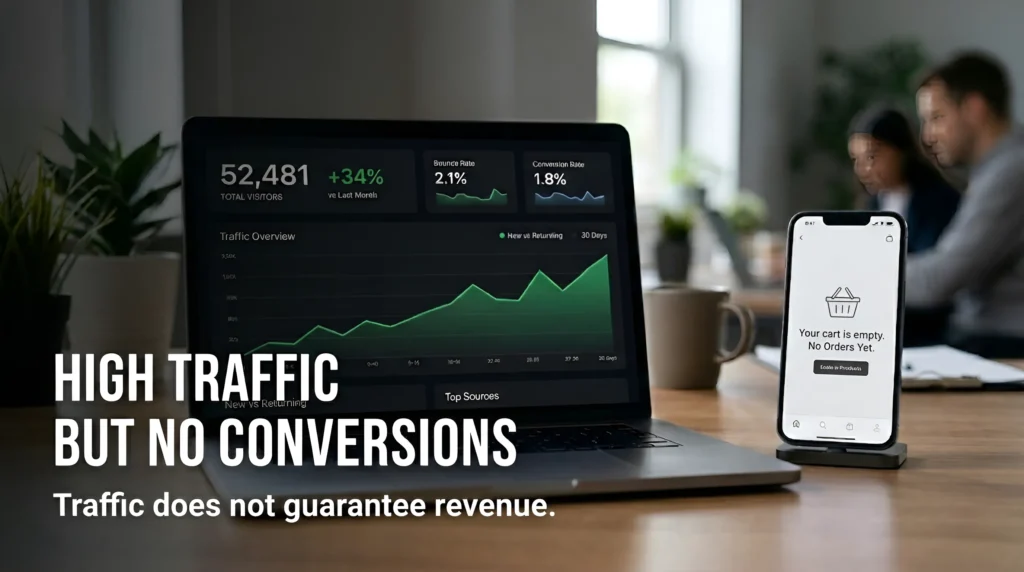
Most websites that aren’t making money still get visitors — but the traffic they’re getting isn’t ready to buy. They might be reading articles or browsing casually, but they’re not here with buying intent. That’s why your website gets traffic but no sales or leads — because the audience isn’t aligned with your business goals.
When your website gets visitors but they don’t convert, the most common root cause is traffic intent mismatch.
Think of it like this: if you’re running a restaurant and your advertisement appears to someone looking for movie reviews, no matter how good your food is, they’re not coming in. This is similar to what happens with websites.
Here are the key traffic problems that kill revenue:
1.1. Traffic Without Buying Intent
Your visitors might be landing through informational keywords like:
- “how to start a business”
- “what is SEO”
- “best web design tips”
These visitors are learning, not ready to buy. They help your traffic numbers, but not your bank balance.
To fix this, you must target commercial and transactional keywords, not just generic informational ones. For example:
- “best SEO services for small business”
- “ecommerce website design prices”
- “lead generation website service near me”
Focusing on intent helps search engines send you the right kind of visitors — those who are closer to making a purchase decision.
| Traffic Type | Intent Level | Revenue Impact |
|---|---|---|
| Informational | Low | Long-term nurture |
| Commercial | Medium | Moderate revenue |
| Transactional | High | Immediate revenue |
1.2. Outdated SEO or Missing SEO Strategy
If your website is invisible to search engines, even the best products won’t get seen. Modern SEO is about understanding user intent, meaning, and relevance, not just stuffing keywords. Your SEO must be aligned with real search behavior.
For deeper help on this, you can check this SEO guide
Best SEO Techniques to Boost Organic Traffic in 2026, which explains current strategies to drive qualified organic traffic.
1.3. Paid Ads Are Not Targeted Correctly
If you’re running ads and getting clicks but no conversions, your target audience might be too broad, or the ad messaging doesn’t match your landing page intent.
A classic example:
You run an ad for “web design services”, But your landing page talks about “website maintenance tips”.
This mismatch creates confusion and kills conversions.
Solution:
Use targeted landing pages that speak directly to what your ad promises.
1.4. Top-of-Funnel Content Without Conversion Paths
Blog posts that educate are great — but if they don’t naturally lead readers to a next step (like a consultation form, product page, or service quote), they don’t contribute to revenue.
Make sure every high-traffic page has a:
- Call to action (CTA)
- Lead magnet
- Service page link
- Contact form
This is where many sites fail — they attract traffic but don’t guide it toward revenue.
Action Steps to Fix Traffic Problems
✔ Perform keyword research that focuses on commercial intent
✔ Audit your traffic sources to see who is visiting and why
✔ Align ad campaigns with matching landing pages
✔ Use content that targets both awareness and buying stages
✔ Improve technical SEO and search visibility
Since many traffic problems are tied to poor site design and user experience, you can check:
For design-related issues that also affect conversion and revenue, read: Most Common Problems in Website Design
2. Your Website Design Looks Good But Doesn’t Convert
In most website audits we perform, the design looks modern — but the messaging is unclear.
A beautiful website is not equal to a profitable website. Many business owners invest in attractive design, but forget about conversion strategy. Without clear messaging, strong calls-to-action (CTAs), and structured user flow, visitors won’t take action — which is one major reason people search for “why my website isn’t making money” even after investing in design.
One of the biggest reasons business owners say, “My website isn’t making money even though it looks good” is because design alone doesn’t sell – Conversion-focused structure sells.
Here are the most common design-related problems that stop websites from generating revenue.
2.1. Weak Value Proposition (Visitors Don’t Understand What You Offer)
When someone lands on your website, they decide within 3–5 seconds:
- What is this website about?
- What do you do?
- Is this for me?
- Why should I trust you?
- What should I do next?
If your homepage headline says something generic like:
- “We Provide Quality Services”
- “Welcome to Our Company”
- “We Provide Innovative Digital Solutions”
That sounds nice — but it doesn’t explain anything specific.
This is one of the biggest hidden reasons behind a low website conversion rate.
Why This Hurts Revenue
If visitors don’t instantly understand your value like:
- What you sell
- Who it’s for
- Why you’re different
They leave.
And when they leave, your website gets traffic but no sales.
How to Fix Weak Value Proposition
Your hero section (top part of homepage) should clearly mention:
- Who you help
- What problem you solve
- What result you deliver
Example structure:
Headline:
“We Help Small Businesses Turn Their Website Into a Lead-Generating Machine”
Subheadline:
“Conversion-focused web design and SEO strategies that increase inquiries and sales.”
CTA:
Get a Free Website Audit
This clarity directly improves your website’s ability to generate revenue.
Clarity always beats creativity when it comes to conversions.
2.2. Confusing Homepage Messaging
Another major reason your website is not generating revenue is message overload.
Many websites try to talk about:
- Company history
- Mission statement
- Multiple services or offers
- Technical terms
All at once. This overwhelms visitors.
Confusion increases bounce rate and directly reduces conversion rate.
That’s one major reason why your website is not converting visitors.
Signs of Confusion:
- Too many paragraphs above the fold
- Multiple different services without clear focus
- No primary CTA
- Stock text that sounds generic
When your homepage tries to say everything, it ends up saying nothing.
If visitors are confused, they don’t convert.
How to Fix Homepage Confusion
Here’s a simple homepage structure that works for almost every business type:
- Clear hero section (problem + solution + CTA)
- Who you help
- Your services/products
- Social proof (testimonials/results)
- Process explanation
- Strong final CTA
That’s it. Keep it simple. Everything else can be on inner pages.
Remove unnecessary sections.
Every block must serve one purpose: move users closer to action.
Since many traffic problems are tied to poor site design and user experience, you can check:
For website design-related issues that also affect conversion and revenue, read: Most Common Problems in Website Design
2.3. No Visual Hierarchy (Users Don’t Know Where to Look)
Research consistently shows that users form first impressions about a website within 0.05 seconds. Visual hierarchy means showing users what to look at first, second, and third.
If everything:
- Has same font size
- Same color
- Same emphasis
Nothing stands out.
Visitors don’t know:
- What is important
- Where to click
- What to read first
This creates friction — and friction reduces conversions.
How to Fix Visual Hierarchy Issues
To improve your low website conversion rate, you should:
✔ Use large, bold headline
✔ Use contrasting CTA button color
✔ Use whitespace between sections
✔ Highlight key benefits with icons
✔ Break content into short sections
Good design is not about decoration — it’s about direction.
Your CTA button should stand out visually. If it blends into the background, people won’t click.
2.4. Too Many CTAs (Decision Paralysis)
Many websites think:
More buttons = More conversions.
Reality is the opposite.
If your page has:
- “Contact Us”
- “Learn More”
- “Download Now”
- “Get Quote”
- “Book Demo”
- “Subscribe”
- “Call Today”
All on one page — visitors freeze.
When you give too many choices, people choose none.
This directly affects your low website conversion rate.
How to Fix CTA Overload
One Primary Goal Per Page
Each page should have:
- One primary CTA
- One secondary CTA (optional)
Example:
Primary CTA:
👉 Book Free Consultation
Secondary CTA:
👉 View Case Studies
You can have secondary CTAs — but one must dominate visually.
Homepage → “Book Free Consultation”
Service page → “Get Quote”
Product page → “Buy Now”
Clear focus improves results.
Also:
- Use action-driven text (Start, Get, Book, Claim)
- Make buttons visible without scrolling
- Repeat CTA at logical intervals
This Strategic CTA placement alone can increase conversions significantly if your website is getting traffic but no conversions.
2.5. No Clear Funnel (No Direction After Landing)
If your website is getting traffic but no sales, your funnel structure is usually the missing link.
Many websites just exist. But they don’t guide visitors through a journey.
A website that makes money usually follows this path:
Visitor → Awareness → Trust → Offer → Conversion
If your website doesn’t intentionally move users through these stages, revenue will stay low.
This is why some businesses say:
“We have traffic but no leads from our website.”
Because there is no structured conversion funnel. Without funnel thinking, traffic leaks.
Why This Happens
Because the site wasn’t built around revenue strategy. It was built around design preference.
That’s one of the biggest reasons people say:
“Why my website isn’t making money even after investing in design?”
How to Fix Funnel Problems
Here’s a simple funnel model that works universally:
Step 1: Attraction
SEO content, ads, social traffic
Step 2: Engagement
Clear messaging, benefits, case studies
Step 3: Trust Building
Testimonials, results, guarantees
Step 4: Action
Strong CTA with clear next step
You can even create:
- Lead magnets
- Free consultation forms
- Demo booking systems
- Discount offers
The key is intentional movement toward conversion. Every page should guide the visitor closer to a goal.
Track behavior using tools like:
These tools show where users drop off.
Key Takeaway
If your website isn’t making money, the issue may not be traffic.
It may be that your design is not optimized for conversions.
To fix this:
✔ Clarify your value proposition
✔ Simplify homepage structure
✔ Improve visual hierarchy
✔ Reduce CTA confusion
✔ Create a clear conversion funnel
A profitable website is not just beautiful — it is strategic.
Why This Impacts SEO Too
Conversion-focused design doesn’t just increase revenue — it supports organic growth.
When visitors:
- Leave quickly
- Don’t interact
- Don’t click deeper
Search engines detect those behavior patterns over time.
Better engagement leads to stronger signals.
Stronger signals support better rankings.
So improving structure and clarity doesn’t just help you convert more — it helps your website perform better overall.
If you’re wondering why my website isn’t making money even though traffic is coming in, the answer is often structural — not promotional. Small improvements in messaging, layout, and CTA placement can dramatically increase revenue, often without increasing traffic at all.
3. Your Website Lacks Trust and Credibility
People don’t buy from websites they don’t trust. If your website is not generating revenue, lack of testimonials, real proof, clear contact details, and authority signals could be the reason your visitors leave without converting.
Even if your design looks good and your traffic is increasing, trust is what turns visitors into paying customers.
Now let’s understand this deeply.
When someone lands on your website, they subconsciously ask:
- Is this company real?
- Can I trust them with my money?
- Have they helped others like me?
- What if something goes wrong?
If your website does not answer these questions clearly, your website gets traffic but no sales.
That’s not a traffic problem. That’s a credibility problem.
3.1 No Social Proof
One of the biggest reasons why your website isn’t making money is the absence of social proof.
People trust people.
Before making a decision, users look for:
- Testimonials
- Reviews
- Ratings
- Client logos
- Success stories
If these are missing, visitors hesitate. And hesitation reduces conversion rate.
Multiple usability studies show that users actively look for credibility indicators before taking action on a website.
If your site has:
- No reviews
- No feedback
- No client names
- No real comments
It feels risky. And users avoid risk.
Fix: Add Testimonials & Reviews
Here’s how to do it properly:
✔ Add real client testimonials with name and photo
✔ Include star ratings if applicable
✔ Use video testimonials if possible
✔ Place testimonials near CTAs
✔ Add Google reviews screenshots (if available)
If possible, integrate reviews from Google Business Profile. This builds instant trust.
Do not add fake testimonials. Users can sense it immediately.
3.2 No Real Images or Case Studies
Stock images reduce credibility.
If your website only shows generic office photos or random smiling people, users feel disconnected.
Instead, show:
- Real team photos
- Office environment
- Behind-the-scenes images
- Before-and-after results
- Case studies
Case studies are powerful because they show proof.
For example:
Instead of saying:
“We increased traffic.”
Say:
“We increased organic traffic by 180% in 6 months.”
That sounds believable. When you show measurable results, your website stops looking like marketing and starts looking like authority.
Fix: Showcase Results Clearly
Here’s how to implement this:
✔ Add a dedicated “Results” or “Case Studies” section
✔ Use numbers and percentages
✔ Show screenshots (analytics, dashboards)
✔ Explain problem → solution → outcome
✔ Keep it simple and visual
This reduces buyer doubt significantly.
3.3 Weak About Page
Most businesses treat the About page like a formality.
But in reality, it’s one of the most visited pages.
If your About page:
- Is too short
- Talks only about “we are passionate”
- Has no team details
- No experience mentioned
- No mission clarity
Then it doesn’t build authority.
People want to know:
Who is behind this business?
If your website is not converting visitors, weak positioning might be the reason.
Fix: Add Authority Content
Your About page should include:
✔ Your experience
✔ Years in industry
✔ Real achievements
✔ Certifications (if any)
✔ Industries served
✔ Clear mission statement
This builds E-E-A-T signals (Experience, Expertise, Authority, Trust).
Also consider adding:
- Blog content
- Educational guides
- Industry insights
When you publish helpful content, you position yourself as an expert — not just a seller.
3.4 No Transparency
Transparency directly impacts conversion.
If your website hides:
- Pricing completely
- Contact details
- Company address
- Refund policy
- Terms & conditions
Visitors become suspicious.
Even small missing elements like:
- No phone number
- No email
- No WhatsApp option
- No physical address
Can reduce trust dramatically.
People want to feel safe before making payment.
Fix: Increase Transparency Signals
Here’s what you should add:
✔ Clear contact page
✔ Phone number and email in header/footer
✔ Privacy policy
✔ Refund policy (if applicable)
✔ Secure payment badges
✔ SSL certificate (HTTPS)
Security and transparency signals improve both user trust and SEO.
Search engines also evaluate site credibility and trust factors when ranking websites.
Why Trust Impacts Revenue Directly
You might have:
- Good traffic
- Good design
- Decent SEO
But if users don’t trust you, your website will not convert visitors.
Trust reduces friction.
Less friction = higher conversion rate.
And higher conversion rate = revenue growth.
So if you are wondering why your website isn’t making money, check this first:
Does your website look trustworthy within 5 seconds?
If the answer is “not fully”, this is the area you must fix immediately.
4. Technical Issues Are Killing Your Revenue
Slow loading speed, poor mobile experience, and hidden technical SEO issues can silently destroy your revenue. Even if your marketing is good, technical problems can reduce rankings, increase bounce rate, and stop conversions.
Sometimes the real reason why your website isn’t making money is not design or messaging — it’s performance.
Most business owners focus on:
- Design
- Ads
- SEO content
But they ignore technical foundation.
And that’s where revenue leaks happen quietly.
If your website:
- Loads slowly
- Breaks on mobile
- Doesn’t track conversions properly
- Has crawling issues
Then even good traffic won’t turn into sales.
Let’s break this down clearly.
4.1 Page Speed & Core Web Vitals
Speed directly affects money. If your website takes more than 3 seconds to load, a large percentage of users leave before even seeing your offer.
Which leads to low website conversion rate and website not generating revenue.
Google also uses performance signals in ranking evaluation. Through updates focused on user experience, speed has become a direct ranking factor.
What Slows Down a Website?
- Large uncompressed images
- Too many plugins
- Poor hosting
- Heavy themes
- No caching
- Unoptimized scripts
When users click and wait… they lose interest.
And they don’t come back.
Fix: Improve Speed & Performance
Start with proper testing using:
Focus on:
✔ Compressing images
✔ Enabling caching
✔ Using lightweight themes
✔ Reducing unnecessary scripts
✔ Choosing high-quality hosting
Even a 1–2 second improvement can significantly improve conversions.
4.2 Mobile-First Indexing & Poor Mobile Experience
Today, most users visit websites from mobile devices.
Google officially moved to mobile-first indexing years ago, meaning the mobile version of your website is what gets evaluated for ranking.
If your mobile website:
- Looks broken
- Has overlapping text
- Has tiny buttons
- Has slow load speed
- Has popups covering screen
Then users leave immediately.
Which increases bounce rate.
And high bounce rate reduces trust signals.
This is one hidden reason why your website gets traffic but no sales.
Fix: Optimize for Mobile Experience
Test your website on:
- Different screen sizes
- Multiple devices
- Real phones, not just desktop preview
Make sure:
✔ Buttons are easy to click
✔ Text is readable
✔ Forms are simple
✔ Checkout process is smooth
✔ No annoying popups
Mobile UX directly impacts revenue.
4.3 Broken Tracking & Data Blindness
Here’s something most businesses ignore. If you don’t track properly, you don’t know what’s working. Sometimes website is not generating revenue simply because:
- Conversions are not tracked
- Events are not configured
- Goals are not set
- Funnels are not monitored
Without data, you guess. And guessing costs money.
Use:
- Google Analytics
- Google Search Console
To monitor:
- Traffic sources
- Conversion rate
- Drop-off points
- User behavior
If tracking is broken, you cannot optimize. And if you cannot optimize, growth stops.
4.4 High Bounce Rate
Bounce rate is not just a number. It’s a signal. If users land on your page and leave without interaction, something is wrong.
Common reasons:
- Slow loading
- Poor content match
- Weak headline
- Technical errors
- Bad user experience
High bounce rate often explains why website isn’t converting visitors.
It means users are not finding what they expected.
Why Technical Health Directly Impacts Revenue
Think of your website like a shop.
You can run ads.
You can decorate the front.
You can bring customers to the door.
But if:
- Door is hard to open
- Lights flicker
- Counter is broken
Customers walk away.
Technical foundation is not “optional SEO work”.
It is revenue infrastructure.
If your website is not making money despite good marketing, technical audit should be one of the first steps.
5. Your Monetization Strategy Is Wrong
Even if your website gets traffic and looks professional, revenue will not grow if your monetization model does not match your audience, niche, or business type. Wrong pricing, weak offers, or depending on only one income source can silently limit growth.
Sometimes the problem is not traffic. Not design. Not even SEO. Sometimes the real reason why your website isn’t making money is your monetization structure.
Let’s break this down.
5.1 Depending on Only One Income Stream
Many websites rely on just one way of making money.
For example:
- Only Google AdSense
- Only one service
- Only one product
- Only affiliate marketing
This is risky.
If that single source slows down, revenue drops immediately.
For bloggers and content sites, ads with low traffic won’t generate meaningful income. For service businesses, depending only on one high-ticket service reduces scalability.
This creates unstable revenue.
Fix: Revenue Diversification
Instead of relying on one stream, consider layering income sources based on your business type.
For example:
If you run a service business:
- Core service packages
- Maintenance plans
- Consulting
- Digital products
If you run an eCommerce store:
- Upsells
- Bundles
- Subscription models
- Complementary products
If you run a blog:
- Ads
- Affiliate offers
- Sponsored content
- Digital courses
- Email-based offers
Diversification increases stability and lifetime customer value.
| Website Type | Recommended Monetization Model |
|---|---|
| Service Business | Lead funnel + upsells |
| Ecommerce | Bundles + average order value increase |
| Blog | Affiliate marketing + email list |
| SaaS | Subscription-based model |
5.2. Running Ads With Low Traffic
This is very common. A website with 500–1000 monthly visitors trying to earn from display ads will barely generate anything. Ad revenue works only at scale.
If your website is not generating revenue and you are depending on ads alone, traffic volume may not be enough.
In such cases:
You either increase traffic significantly or Switch to higher-value offers
Low-ticket monetization needs high volume.
High-ticket monetization needs trust + positioning.
5.3. No Backend Offer
Many websites focus only on front-end sales. But smart businesses make money on the backend.
What is backend?
After someone buys from you, what happens next?
If nothing happens, you’re losing revenue.
For example:
- No upsell
- No cross-sell
- No follow-up offer
- No premium upgrade
That means customer lifetime value remains low.
Which is another reason website gets traffic but no meaningful revenue growth.
Fix: Funnel-Based Offers
Instead of a single offer, build a simple funnel.
Example structure:
- Free resource or lead magnet
- Low-ticket entry offer
- Core service or product
- Premium upgrade
This structure increases:
- Average order value
- Customer retention
- Repeat purchases
You don’t need complicated automation. Even a basic structured offer flow improves revenue dramatically.
5.4. No Email Marketing System
This is one of the biggest missed opportunities.
If visitors come to your website and leave without giving you their contact details, you lose them forever.
Traffic without capture equals wasted opportunity.
Email marketing allows you to:
- Nurture leads
- Build trust
- Educate audience
- Promote offers repeatedly
- Increase conversions over time
If your website isn’t converting visitors instantly, email follow-up can convert them later.
Without an email strategy, monetization remains incomplete.
Fix: Audience-First Monetization
Instead of asking:
“How do I make money from this traffic?”
Ask:
“What problem is my audience trying to solve?”
When monetization aligns with audience intent, revenue increases naturally.
Understand:
- What stage your audience is in
- What budget level they have
- What urgency they feel
- What transformation they want
Then design offers around that. This is how profitable websites are built.
5.5. Wrong Pricing Strategy
Pricing directly impacts conversions.
If pricing is:
- Too high without authority
- Too low without perceived value
- Confusing
- Hidden
- Not justified
Conversions drop.
Sometimes website is not making money simply because pricing does not match market positioning.
You must balance:
Value perception
Market demand
Competitive positioning
Clear pricing explanation improves trust and sales.
Why Monetization Strategy Impacts Everything
You can have:
- Good SEO
- Fast website
- Clean design
- Strong trust signals
But if your revenue model is weak, income stays low. Monetization is not an afterthought. It must be intentional.
If you’re wondering why your website isn’t making money even after doing everything else right, audit your income structure carefully.
Often the solution is not “more traffic”. It’s smarter revenue design.
6. Your Conversion Funnel Has Friction
Even if users want to buy, friction inside your conversion funnel — like long checkout forms, hidden charges, slow steps, or confusing processes — increases abandonment rates and reduces revenue.
Sometimes your website is not making money simply because buying feels difficult.
When the process feels complicated, users leave. Revenue drops quietly.
Most business owners focus on:
- Bringing traffic
- Improving design
- Improving SEO
But they forget to audit the buying process itself.
Let’s break this down clearly.
6.1 Cart Abandonment Is Killing Sales
Cart abandonment is one of the biggest revenue leaks for eCommerce websites.
Users:
- Add product to cart
- Show buying intent
- Reach checkout
- Then leave
Why?
Because something creates hesitation.
Common reasons:
- Unexpected shipping charges
- Forced account creation
- Slow checkout loading
- Complicated payment process
- Security concerns
If abandonment rate is high, your website gets traffic but no sales — even though users are interested.
6.2 Long and Complicated Checkout Steps
The more steps you add, the more users drop off.
If checkout requires:
- Too many form fields
- Unnecessary details
- Multiple pages
- OTP delays
- Repeated confirmations
Conversions decrease.
Every additional step reduces completion rate.
People want speed and simplicity.
If your conversion funnel feels like paperwork, users quit.
Fix: Reduce Checkout Friction
Simplify everything.
✔ Minimize form fields
✔ Remove unnecessary steps
✔ Allow guest checkout
✔ Auto-fill address when possible
✔ Keep payment flow clean and fast
Shorter checkout = higher completion rate.
6.3 No Express Checkout Options
Modern users expect convenience.
If your website does not offer quick payment options, some users may hesitate.
For example:
- No UPI option (for Indian audience)
- No wallet payments
- No one-click checkout
- No saved card option
Convenience directly affects conversion rate.
The easier it is to pay, the more likely users complete purchase.
6.4 No Urgency or Decision Triggers
Sometimes users delay purchase not because they don’t want it — but because they feel no urgency.
Without:
- Limited-time offers
- Stock indicators
- Countdown timers (used ethically)
- Bonus deadlines
Users postpone decisions. And postponed decisions often become lost sales.
But remember — urgency must be genuine. Fake countdown timers damage trust.
6.5 You’re Not Studying User Behavior
Many businesses guess where users drop off.
Instead of guessing, use behavioral analytics.
If your website is not converting visitors, you must understand:
- Where users click
- Where they stop scrolling
- Where they hesitate
- Where they exit
Data shows friction points clearly.
Tools to Identify Funnel Friction
Use reliable tools like:
- Google Analytics
- Hotjar
Heatmaps help you see:
- Click behavior
- Scroll depth
- Rage clicks
- Dead zones
When you see how users interact, improvements become obvious.
6.6 A/B Testing Is Not Optional
Many websites launch a checkout page once and never improve it.
That’s a mistake.
Small changes can create big revenue differences:
- CTA color
- Button placement
- Headline wording
- Form layout
- Trust badge placement
Instead of guessing which version works better, test variations.
Even a small increase in conversion rate can significantly increase revenue without increasing traffic.
Why Funnel Friction Directly Impacts Revenue
You might have:
- Good traffic
- Strong SEO
- Professional design
- Solid offers
But if the buying process feels difficult, confusing, or slow, users will leave.
Funnel optimization is not advanced marketing. It’s revenue hygiene.
If you are still wondering why your website isn’t making money, analyze your conversion path carefully.
Sometimes the issue is not attracting visitors — It’s helping them complete the action smoothly.
7. You’re Not Tracking the Right Metrics
If you don’t track conversion data properly, you won’t know where money is leaking. Without clear metrics like conversion rate, cost per acquisition, and funnel drop-offs, you are making decisions blindly.
Many business owners say:
“My website isn’t making money.”
But when I ask for numbers, they don’t know:
- Their conversion rate
- Their cost per lead
- Their cost per sale
- Where users drop off
Without tracking, you are guessing.
And guessing is expensive.
7.1 You Don’t Know Your Conversion Rate
Conversion rate tells you what percentage of visitors are completing your desired action.
That action could be:
- Purchase
- Form submission
- Call booking
- Download
If 1,000 people visit your website and only 10 buy, your conversion rate is 1%.
If you don’t know this number, you cannot improve it.
| Metric | Why It Matters |
|---|---|
| Conversion Rate | Measures revenue efficiency |
| Cost Per Acquisition (CPA) | Shows profitability |
| Bounce Rate | Indicates intent mismatch |
| Funnel Drop-Off | Reveals revenue leaks |
Many times, the problem is not traffic volume — it’s low conversion rate.
Improving conversion rate from 1% to 2% can double revenue without increasing traffic.
That’s powerful.
7.2 You’re Not Calculating Cost Per Acquisition (CPA)
Cost Per Acquisition means:
How much money are you spending to get one customer?
If you’re running ads and paying ₹1,000 to acquire a customer who generates ₹800 in profit, you’re losing money.
Even if traffic and sales look “okay”.
This is one hidden reason why your website is not generating revenue consistently.
You must track:
- Ad spend
- Leads generated
- Sales generated
- Revenue per sale
Without CPA clarity, scaling becomes risky.
7.3 Bounce Rate vs Exit Rate Confusion
Many business owners panic when they see high bounce rate.
But bounce rate and exit rate are different.
- Bounce rate = Users leave without interacting.
- Exit rate = Users leave from a specific page after browsing others.
If your homepage has high bounce rate, that’s a problem.
But if your thank-you page has high exit rate, that’s normal.
Understanding these metrics correctly helps you diagnose real issues.
Otherwise, you may try to fix something that isn’t broken.
7.4 You’re Not Monitoring Funnel Drop-Offs
Every website has a funnel.
For example:
Visitor → Product Page → Cart → Checkout → Payment → Thank You
If you don’t know where users drop off, you cannot fix the leak.
Common drop-off points:
- Product page (weak description)
- Cart page (unexpected charges)
- Checkout page (long forms)
- Payment page (trust issues)
If your website gets traffic but no sales, funnel drop-off analysis will reveal the truth.
7.5 Tracking Setup Errors
Sometimes tracking tools are installed — but not configured properly.
Common mistakes:
- No conversion goals set
- Events not tracked
- Duplicate tracking codes
- Broken tag manager setup
- Incorrect attribution model
This leads to wrong data.
And wrong data leads to wrong decisions.
Even worse — you might think your website isn’t converting, when in reality conversions are simply not being recorded.
Tools You Must Use Properly
To track metrics accurately, configure:
- Google Analytics
- Google Search Console
Google Analytics helps you understand:
- Traffic sources
- Conversion rate
- Funnel behavior
- Audience segments
Google Search Console helps you see:
- Search queries
- Click-through rate
- Indexing issues
- Keyword performance
When both are configured properly, you stop guessing.
You start optimizing.
Why Tracking the Right Metrics Changes Everything
If your website is not making money, data will tell you why.
It may show:
- Low conversion rate
- High acquisition cost
- Funnel abandonment
- Wrong traffic source
- Tracking errors
But without tracking, all you have are assumptions. And assumptions don’t build profitable websites.
If you truly want to fix why your website isn’t making money, start by auditing your data setup. Because what gets measured gets improved.
8. Website Revenue Audit Checklist (Action Section)
If your website is not making money, don’t guess.
Use this structured revenue audit checklist to identify exactly where the problem is.
This section alone can help you quickly diagnose why your website gets traffic but no sales.
Quick Revenue Audit Checklist
Use this as a step-by-step review:
- ✔ Check traffic intent
- ✔ Review keyword strategy
- ✔ Audit CTAs
- ✔ Test page speed
- ✔ Optimize mobile UX
- ✔ Add trust signals
- ✔ Review monetization model
- ✔ Analyze funnel drop-offs
Now let’s briefly understand what each step actually means.
✔ Check Traffic Intent
Ask yourself:
Are visitors landing on your website with buying intent, research intent, or just curiosity?
If you attract informational traffic but expect instant sales, conversion will stay low.
Make sure your pages match search intent properly.
✔ Review Keyword Strategy
Are you targeting keywords that attract buyers?
For example:
- “best SEO company in Hyderabad” → high intent
- “what is SEO” → informational
Both are useful, but monetization strategy must align with intent.
Wrong keyword targeting is a major reason why website is not generating revenue.
✔ Audit CTAs (Call-To-Actions)
Check:
- Are CTAs clearly visible?
- Do they appear above the fold?
- Is the message action-oriented?
- Are there too many CTAs creating confusion?
Weak or hidden CTAs directly reduce conversion rate.
✔ Test Page Speed
Slow websites lose money silently.
Use tools like:
- Google PageSpeed Insights
- Google Search Console
Even small speed improvements can increase conversions significantly.
✔ Optimize Mobile UX
Since most users browse on mobile:
- Ensure responsive design
- Make buttons easy to tap
- Simplify forms
- Remove intrusive popups
Mobile friction is one hidden reason why your website isn’t converting visitors.
✔ Add Trust Signals
Make sure your website includes:
- Testimonials
- Real reviews
- Clear contact details
- Privacy policy
- Secure payment indicators
Trust reduces hesitation.
Less hesitation = more revenue.
✔ Review Monetization Model
Ask:
- Are you depending on one income source?
- Is pricing aligned with audience expectations?
- Do you have upsells or backend offers?
- Are you using email marketing?
Even with traffic, wrong monetization strategy limits income growth.
✔ Analyze Funnel Drop-Offs
Use tools like:
- Google Analytics
Check:
- Where users abandon checkout
- Where forms are not completed
- Which pages have high exit rate
Fixing one major drop-off point can increase revenue without increasing traffic.
Why This Checklist Matters
If you’re seriously asking, “Why is my website not making money?”, this checklist gives you a practical starting point.
Instead of redesigning everything blindly, follow these structured steps.
Revenue growth is rarely about one big fix.
It’s usually about optimizing small leaks across:
- Traffic
- Messaging
- Trust
- Technical setup
- Funnel flow
- Monetization
Fix those systematically — and your website will start performing like a business asset, not just an online brochure.
9. When Should You Redesign vs Optimize?
If your website isn’t making money, don’t assume redesign is the only solution. The real decision depends on whether the issue is structural, strategic, or visibility-related.
Many business owners assume:
“My website isn’t making money. I need a complete redesign.”
But that’s not always true.
Sometimes you don’t need a new website. You just need smarter optimization.
Before spending money on rebuilding everything, you need to identify the real issue.
Here’s how to decide.
Before making changes, analyze what’s actually broken. A redesign fixes structural and visual problems. Optimization improves performance within the existing structure. The wrong decision can waste time and budget.
Signs You Need a Full Website Redesign
- Website is not mobile responsive
- Design looks outdated
- Slow loading speed
- Poor UX structure
- High bounce rate (70%+)
Signs You Only Need CRO (Conversion Rate Optimization)
If traffic is stable but conversions are low, the issue is likely messaging, CTA placement, or funnel structure. In this case, improving existing pages is more effective than rebuilding everything.
- Traffic is coming
- Bounce rate is normal
- But low conversion rate
- Weak CTAs
- Poor landing page structure
Signs You Need SEO Correction
- Ranking but for wrong keywords
- Getting informational traffic only
- No commercial keyword targeting
- Low visibility for money pages
Signs You Need Monetization Restructuring
- Offers unclear
- No pricing psychology
- No upsell / cross-sell strategy
- No lead nurturing system
Redesign Is Not Always the Answer
If your website gets traffic but no sales, don’t jump directly to redesign.
First ask:
Is it a design issue?
Is it a conversion issue?
Is it an SEO issue?
Is it a monetization issue?
Diagnose correctly. Then fix precisely. That’s how profitable websites are built.
Step-by-Step Plan to Fix a Website That Isn’t Making Money
Instead of guessing, follow this structured improvement plan:
Step 1: Audit your traffic intent
Step 2: Clarify your value proposition
Step 3: Fix technical performance issues
Step 4: Reduce funnel friction
Step 5: Improve monetization structure
Step 6: Track and measure correctly
Fix the system first. Then scale traffic.
Conclusion: Why Your Website Isn’t Making Money & What To Do Next
If you’ve read this far, one thing should be clear:
Your website isn’t making money for a reason. And most of the time, it’s not just one reason.
It’s usually a combination of:
- Wrong traffic
- Weak messaging
- Poor conversion structure
- Lack of trust
- Technical issues
- Broken funnel
- Weak monetization strategy
- No proper tracking
A website doesn’t fail randomly. Revenue drops when systems are misaligned.
Quick Summary (If You Want the Direct Answer)
If your website isn’t making money, audit these 7 areas immediately:
- Are you attracting buying-intent traffic?
- Is your value proposition clear in 5 seconds?
- Do you have strong trust signals?
- Is your website technically fast and mobile-friendly?
- Is your monetization strategy aligned with your audience?
- Is your checkout or lead funnel friction-free?
- Are you tracking the right performance metrics?
If even 2–3 of these areas are weak, revenue will suffer.
Most websites don’t fail because of one major mistake. They fail because multiple small leaks exist at the same time.
When traffic quality, clarity, trust, technical health, funnel flow, and monetization align — revenue becomes predictable.
Your website should not just exist online. It should function as a revenue system.
If you fix these areas step by step, you don’t just increase traffic — you increase profit.
That’s the real goal.
What You Should Do Next (Step-by-Step)
Instead of guessing, follow this structured approach:
Step 1: Run a Website Revenue Audit
Use tools like:
- Google Analytics
- Google Search Console
Check:
- Conversion rate
- Traffic sources
- Bounce rate
- Funnel drop-offs
- Keyword performance
Data removes assumptions.
Step 2: Fix Foundation Before Scaling
Many businesses try to solve revenue problems by:
Running more ads
Posting more content
Increasing traffic
But if your foundation is weak, more traffic only increases losses.
First optimize:
- Messaging clarity
- Funnel structure
- Technical performance
- Trust signals
Then scale traffic.
Step 3: Improve Conversion Before Increasing Traffic
If you’re getting 1,000 visitors and converting at 1%, you get 10 conversions.
If you improve conversion to 3%, you get 30 conversions — without increasing traffic.
That’s smarter growth.
Focus on:
- CTA clarity
- Form simplification
- Social proof placement
- Checkout optimization
- Offer positioning
Small improvements create big revenue impact.
Step 4: Align Monetization With Audience Intent
Instead of asking:
“How do I make money from my website?”
Ask:
“What problem is my audience actively trying to solve?”
Revenue grows when your offer directly matches user intent.
That’s how sustainable websites are built.
The Most Important Realization
A website is not a brochure.
It is a revenue system.
And revenue systems must be:
- Intent-driven
- Conversion-optimized
- Technically strong
- Trust-focused
- Data-backed
If your website isn’t making money, it doesn’t mean your business idea is bad. It means something in the system needs correction.
Final Thought
Most websites don’t fail because of lack of effort. They fail because of lack of structured strategy.
When traffic, design, funnel, trust, and monetization align — revenue becomes predictable.
If you want your website to move from “online presence” to “profit-generating asset,” start with a proper audit and structured improvements.
Fix the leaks. Strengthen the system. Optimize before scaling.
FAQs
Why is my website not making money even though it looks good?
Because design without conversion strategy fails to guide users toward action. Without clear messaging, strong CTAs, and structured funnel flow, visitors leave without converting.
Why is my website getting traffic but no sales?
You may be attracting the wrong audience, your offer may not be clear, or your checkout process has friction. High traffic without conversions usually means poor targeting, weak CTAs, slow speed, or trust issues.
How long does it take for a website to make money?
It depends on your niche, traffic source, SEO strategy, and conversion optimization. With proper SEO and funnel setup, most websites start seeing consistent revenue in 3–6 months.
Can SEO alone make my website profitable?
No. SEO brings traffic, but you still need strong conversion optimization, clear offers, good UX, and a proper monetization model to generate profit.
Why are my ads not converting?
Common reasons include wrong targeting, weak landing pages, slow website speed, unclear messaging, or no trust signals. Ads only work when your funnel is optimized.
Is website redesign necessary to increase revenue?
Not always. If your structure is good, small CRO improvements can boost revenue. Redesign is needed only when UX, branding, or technical issues are hurting conversions.